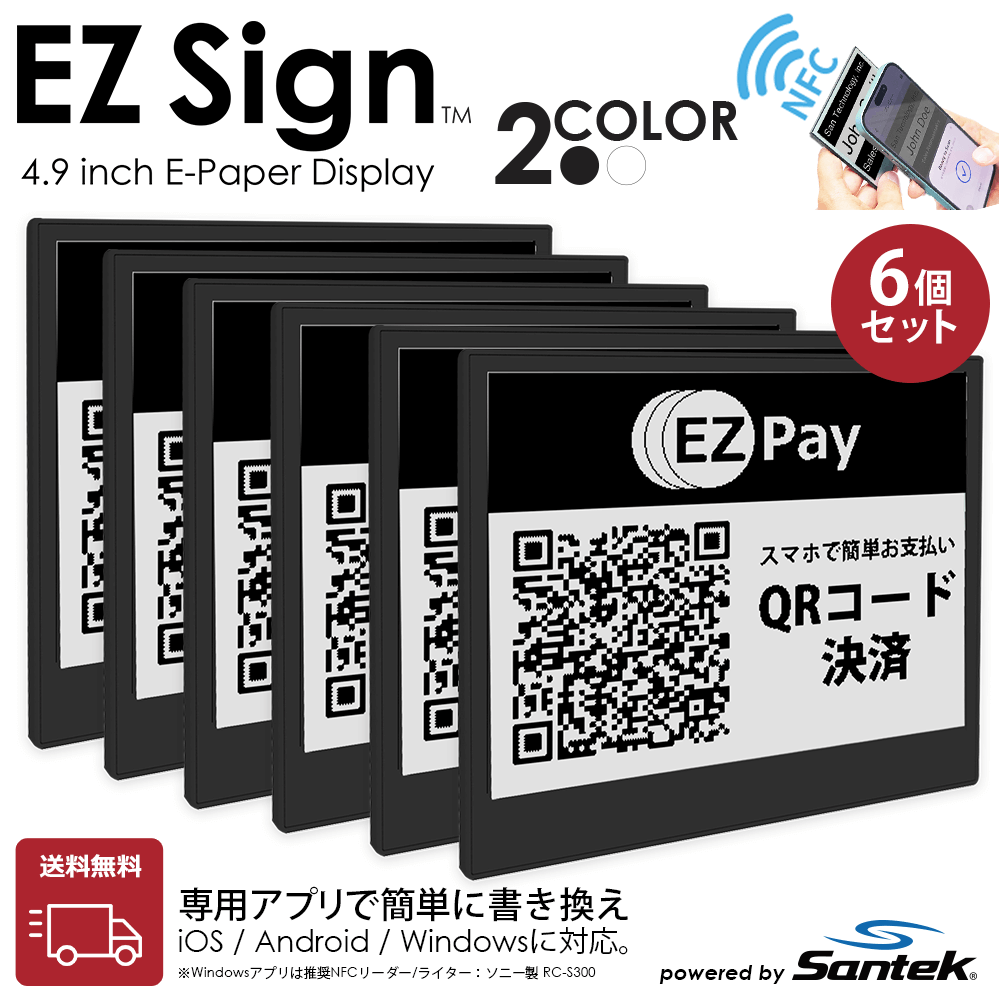
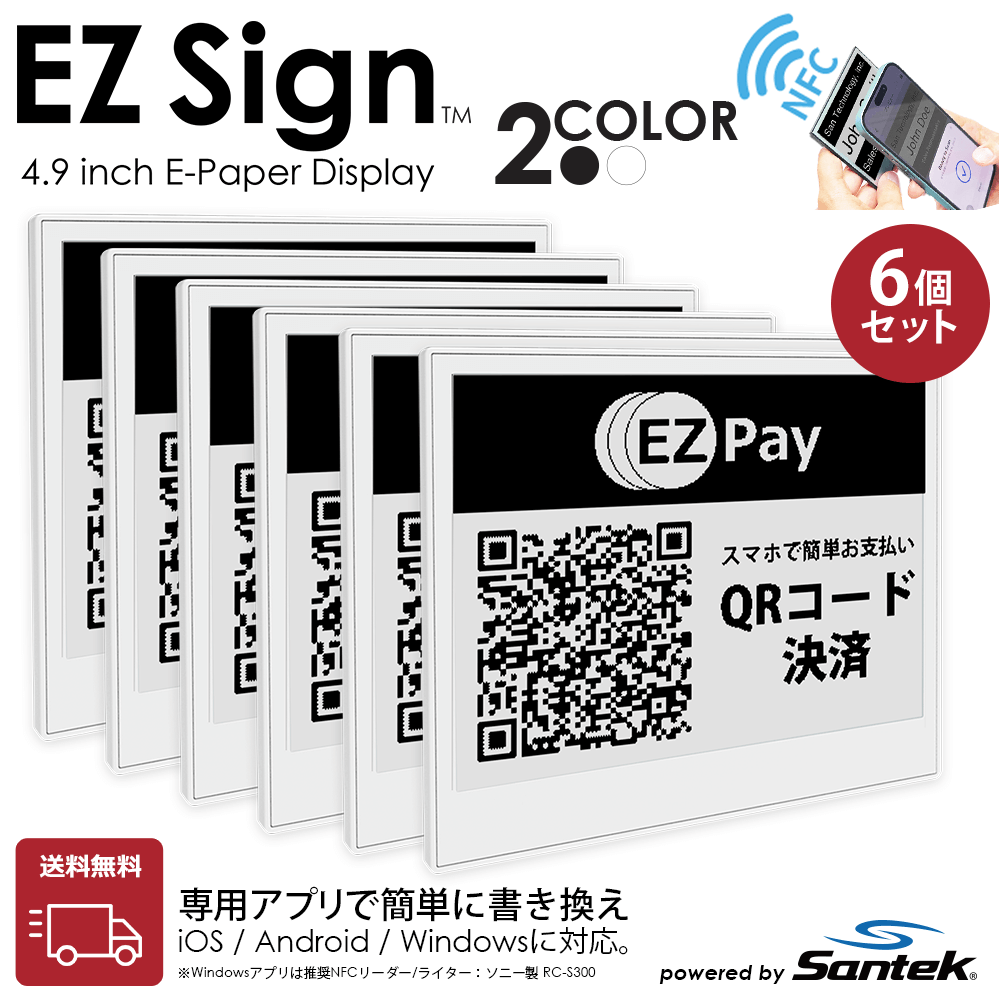
The EZ Sign 2-Color Model is an e-paper display supporting a black and white 2-color display. With a highly reliable refresh time of approximately 2 minutes, it provides steady performance for business applications that require frequent display updates.
⚡ Ideal Applications for the 2-Color Model
It specializes in
environments with frequent updates and applications prioritizing information density.
It excels in
situations where practicality and reliability are key, such as displaying QR codes, barcodes, and text information, as well as inventory labels, process management, backroom operations, and business labels in factories and warehouses.
Differences from the 4-Color Model
[Image comparing EZ Sign 2-color and 4-color e-paper displays]
|
2-Color Model (Black & White)Current Page |
4-Color Model (Black, White, Red, Yellow) |
| Update Time |
Approx. 2 minutes (Reliable) |
Approx. 30 seconds |
| Ideal Applications |
QR codes, text info, operational labels, frequent updates |
POP displays, signage, warning labels, reception plates |
| Key Strengths |
Focus on reliability and information density |
Focus on visibility, visual impact, and appeal |
| Recommended Settings |
Factories, warehouses, backrooms, sites with frequent changes |
Retail stores, offices, receptions, events |
How to Choose the Size
[Image showing size comparison of 2.9 inch and 4.2 inch EZ Sign displays]
|
2.9 Inch |
4.2 InchPopular |
| Ideal Applications |
Price tags, shelf labels, inventory labels |
Desktop guides, reception displays, POP |
| Features |
Compact and space-saving |
Easy to display text and information |
| Recommended For |
Retail, warehouse, and factory use |
Office, reception, and signage use |
Differences in Set Contents
|
1-PackIncludes Accessories |
6-Pack |
| Contents |
1 Device + Stand and Clip |
6 Devices (No Accessories) |
| Ideal For |
Those who want to try 1 unit first |
Those who want to use multiple units |
| Recommended Use |
Personal use, trials, sample deployment |
Bulk deployment in factories, warehouses, or facilities |
💡
If you are unsure, we recommend starting with the "4.2 Inch / 1-Pack". It is versatile for reception displays, desktop signage, and QR code displays, making it perfect for first-time EZ Sign users.
🏢
For Corporate & Bulk Purchases: We offer quotes, samples, and case studies. Please feel free to consult with us via our
Corporate Customers page.
Unified factory/warehouse signage Multi-shelf retail deployment Bulk office & meeting room setup Multiple installations in medical facilities
What is the EZ Sign® NFC E-Paper Display?
EZ Sign® is a battery-free electronic paper display (E-paper) that can be updated simply by holding an NFC-compatible smartphone over it. The updated display is retained without power, allowing for operation with no cables and no battery replacements.
Available in two sizes (2.9-inch and 4.2-inch) and supports 2-color display (Black and White). With an IP65 equivalent rating (dust and water-resistant), it can be used for display management in a wide range of environments including stores, offices, factories, warehouses, backrooms, and medical facilities.
Main Use Cases
🏢
Office & Reception
Name tags, meeting room signs, reception guides, staff names, hot-desking management
🏪
Retail & Sales
Price tags, shelf tags, name tags, POP, menu boards, campaign displays
🏭
Factory & Warehouse
Process tags, inventory labels, management labels (compatible with dust/water-prone environments)
📋
Events & Facilities
Staff name tags, reception displays, information boards (instantly update shift changes via smartphone)
Just Tap Your Smartphone — Update in 3 Steps
Simply create the display content in the dedicated app and hold your smartphone over the device to update it. The power required for rewriting is supplied via NFC, so no batteries are needed in the device itself.
1
Install the "EZ Sign NFC" App
Download it for free from the App Store (iPhone) or Google Play (Android). The Windows version can be downloaded from our site. Download here
2
Create Display Content in the App
Create display data using text, images (PNG/JPEG), and templates. You can also import images created with external tools like Canva.
3
Hold Your Smartphone Over the Center of the Device
Place the NFC antenna flat against the center of the device and wait without moving until the completion message appears.
[Diagram showing smartphone NFC antenna alignment with EZ Sign display for updating]
4-Color Model: Approx. 30 seconds / 2-Color Model: Approx. 2 minutes
Product Specifications
|
2.9 Inch |
4.2 Inch |
| Screen Size |
66.9 x 29.06(mm) (W x H) |
84.8 x 63.6(mm) (W x H) |
| Device Size |
82.2 x 39 x 3.4(mm) (W x H x D) |
93.4 x 80.3 x 3.4(mm) (W x H x D) |
| Resolution |
296 x 128 px (Approx. 112 PPI) |
400 x 300 px (Approx. 112 PPI) |
| Weight |
Approx. 13g |
Approx. 29g |
| Display Colors |
Black and White (2 Colors) |
| Body Color |
Black, White |
| Update Time |
Approx. 2 minutes (2-Color Model) |
| Communication Method |
NFC (Power and data transfer via smartphone) |
| Built-in Battery |
None (NFC Powered) |
| Display Retention |
Retained indefinitely without power |
| Dust / Water Resistance |
IP65 Equivalent |
| Recommended Operating Temp. |
0 to 50°C |
| Storage Temp. |
-25 to 60°C |
| 1-Pack Contents |
Device x 1, Stand x 1, Clip x 1 |
| 6-Pack Contents |
Device x 6 (No accessories) |
Supported Devices & Operating Environment
- iPhone (iOS 13 or later)
- Android (NFC-equipped models)
- Windows 10 or later (Requires a separate NFC reader for updating. Recommended NFC reader: Sony RC-S300)
* Please remove the case when using an iPhone. NFC antenna locations on Android devices vary by manufacturer.
* Please check the EZ Sign FAQ for a detailed list of confirmed compatible devices.
Usage Precautions
⚠️ If Updating Fails
If colors are incorrect, text is blurry, or the display looks rough, the update may be incomplete. This can happen if the smartphone shifts during communication and can often be fixed by rewriting the data.
[Diagram illustrating correct and incorrect NFC tapping methods for EZ Sign]
- Be sure to remove your smartphone case (thick cases and cases with built-in magnets are especially disruptive).
- NFC communication becomes unstable on metal surfaces or near strong magnets. Please use away from metal surfaces.
- Place the NFC antenna flat against the center of the device and wait without moving until the completion message appears.
- Try updating from the back of the EZ Sign (the side without the display).
- Try updating with light content, such as text data.
- If you are still having trouble, please contact us with the product name, device name, and OS. If rewriting does not resolve the issue, we will review the situation and assist you.
⚠️ For Google Pixel & Certain Android Users
- Updates may be unstable on Google Pixel 7 and older models.
- Please try with another device or check our support page.
🚫 Voiding the Warranty
- Damage to the internal panel (glass) due to dropping, strong impacts, or excessive pressure.
- Static electricity damage caused by dry environments or severe friction.
- Submersion or water intrusion (IP65 is dust and splash-resistant, but not intended for underwater use).
Support & Related Pages